
Knowledge base
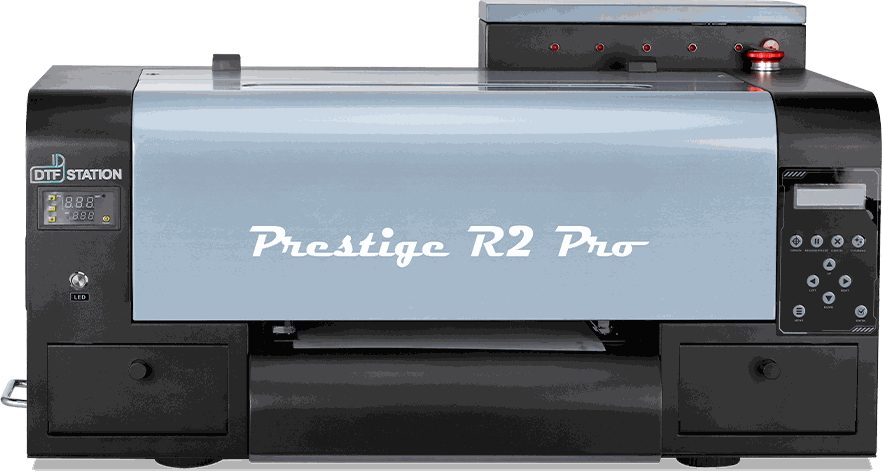
Prestige R2 Pro
- OperationPrestige R2 Pro - Operation Guide49 steps · video
- MaintenancePrestige R2 Pro - Maintenance Guide13 steps · video
- TroubleshootingHow to Perform Print Head Swap Test & Install Print Heads - Prestige R2 Pro15 steps · video
- TroubleshootingHow to Resolve 011066 Error on Prestige R2 Pro Pilot Software7 steps · video
- TroubleshootingPrestige R2 Pro - DTF General Troubleshooting12 steps · video
- TroubleshootingPrestige R2 Pro - Hoson/Print Exp - How to Troubleshoot Print Pause Issue on Prestige R2/R2 Pro10 steps · video
- TroubleshootingPrestige R2 Pro - How to Adjust Height of Media Feed Reel or Media Attachment5 steps · video
- TroubleshootingPrestige R2 Pro - How to Adjust Print Head Carriage Height12 steps · video
- TroubleshootingPrestige R2 Pro - How to Change Physical Damper Positions and Change Ink Order in Pilot Software1 steps · video
- TroubleshootingPrestige R2 Pro - How to Identify the Defective X Motor and Replace It8 steps · video
- TroubleshootingPrestige R2 Pro - How to Inspect and Clean Encoder Strip10 steps · video
- TroubleshootingPrestige R2 Pro - How to Remove Current CMYK Inks and Fill Color Prime Chroma Ink13 steps · video
- TroubleshootingPrestige R2 Pro - How to Replace Color15 steps · video
- TroubleshootingPrestige R2 Pro - How to Replace Ink Tube Assembly21 steps · video
- TroubleshootingPrestige R2 Pro - How to Replace Inlet Filters18 steps · video
- TroubleshootingPrestige R2 Pro - How to Replace the Carriage Belt15 steps · video
- TroubleshootingPrestige R2 Pro - How to Replace the Daughterboard / Carriage Board14 steps · video
- TroubleshootingPrestige R2 Pro - How to Replace the Encoder Strip11 steps · video
- TroubleshootingPrestige R2 Pro - How to Replace the Right Bearing8 steps · video
- TroubleshootingPrestige R2 Pro - How to Replace White Damper14 steps · video
- TroubleshootingPrestige R2 Pro - How to Swap Print Heads15 steps · video
- TroubleshootingPrestige R2 Pro - How to Troubleshoot 13047 Error Code or Print Pass Data Unfinished Error5 steps · video
- TroubleshootingPrestige R2 Pro - How to Troubleshoot Capping Station or Motherboard Error (Error code 4000, 13023)17 steps · video
- TroubleshootingPrestige R2 Pro - How to Troubleshoot Impact Stop and Prevent Carriage Slamming to the Right10 steps · video
- TroubleshootingPrestige R2 Pro - How to Troubleshoot Poor Nozzle Checks (Capping Station)1 steps · video
- TroubleshootingPrestige R2 Pro - How to Troubleshoot When the Print Head Carriage Does Not Move Properly1 steps · video
- TroubleshootingPrestige R2 Pro - How to Unclog, Fix a Bad or Poor Nozzle Check19 steps · video
- TroubleshootingPrestige R2 Pro - Prestige - How to Replace Y Motor Tension Belt4 steps · video
- TroubleshootingPrestige R2 Pro - Prestige & Aries - How to Check and Adjust Print Head Carriage Home Position Using Pilot Software12 steps · video
- TroubleshootingPrestige R2 Pro - Prestige & Aries - How to Troubleshoot Impact Stop Error13 steps · video
- TroubleshootingPrestige R2 Pro - Prestige L Series & R2 Pro - How to Connect Print Head Cables to the Daughterboard7 steps · video
- TroubleshootingPrestige R2 Pro - Troubleshooting Guide: Resolving Vertical or Horizontal Lines on Films and Prints1 steps · video
- How-toPrestige R2 Pro - Pilot Software - Setting the Correct Port and Changing the Language Pilot Program6 steps · video
- How-toPrestige R2 Pro - Prestige & Aries - Controlling Ink Output with Pilot Software: Enhancing Color, White, and Varnish Layers5 steps · video